
Port your existing fax number
Keep a familiar number while bringing its incoming faxes into 96Meridian for extraction, review, and routing.
AI-powered fax intake
Port your existing number, get a new toll-free number, or keep your current fax provider while our AI agent pulls faxes into one workspace. 96Meridian uses NLP to extract clinical details and helps your team move reviewed information into the right patient chart.
One intake workflow from fax number to patient record.
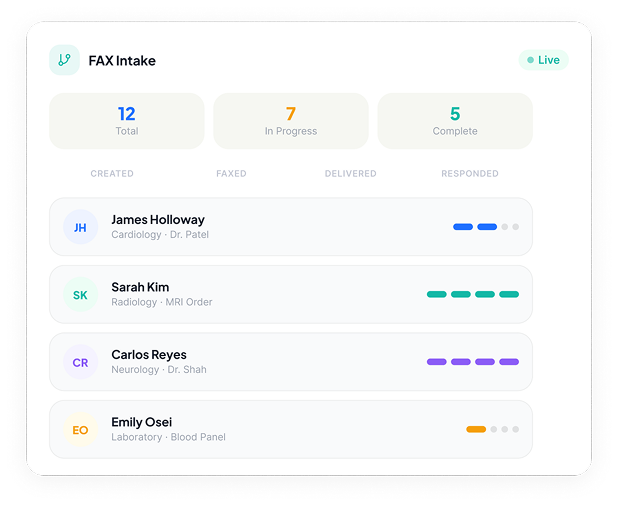
Port a number, start toll-free, or keep your provider.
NLP turns fax content into reviewable fields.
Approved details follow your EMR workflow.
A simpler starting point
Choose the setup that fits your practice. Whether you port a number, start toll-free, or keep your existing provider, incoming faxes can flow into the same digital intake workspace.
Keep a familiar number while bringing its incoming faxes into 96Meridian for extraction, review, and routing.
Start with a dedicated toll-free fax number and manage incoming documents, extracted data, and next steps in one place.
No number change or port required. Our AI agent pulls incoming faxes from your existing provider, then processes them through the same NLP extraction, review, and EMR workflow.
Our team can confirm number availability, provider compatibility, and the right setup for your practice.
The work behind the workflow
96Meridian turns unstructured faxes into organized patient information, so staff can spend less time retyping and more time acting on what matters.
Incoming clinical faxes arrive in a shared queue for your team.
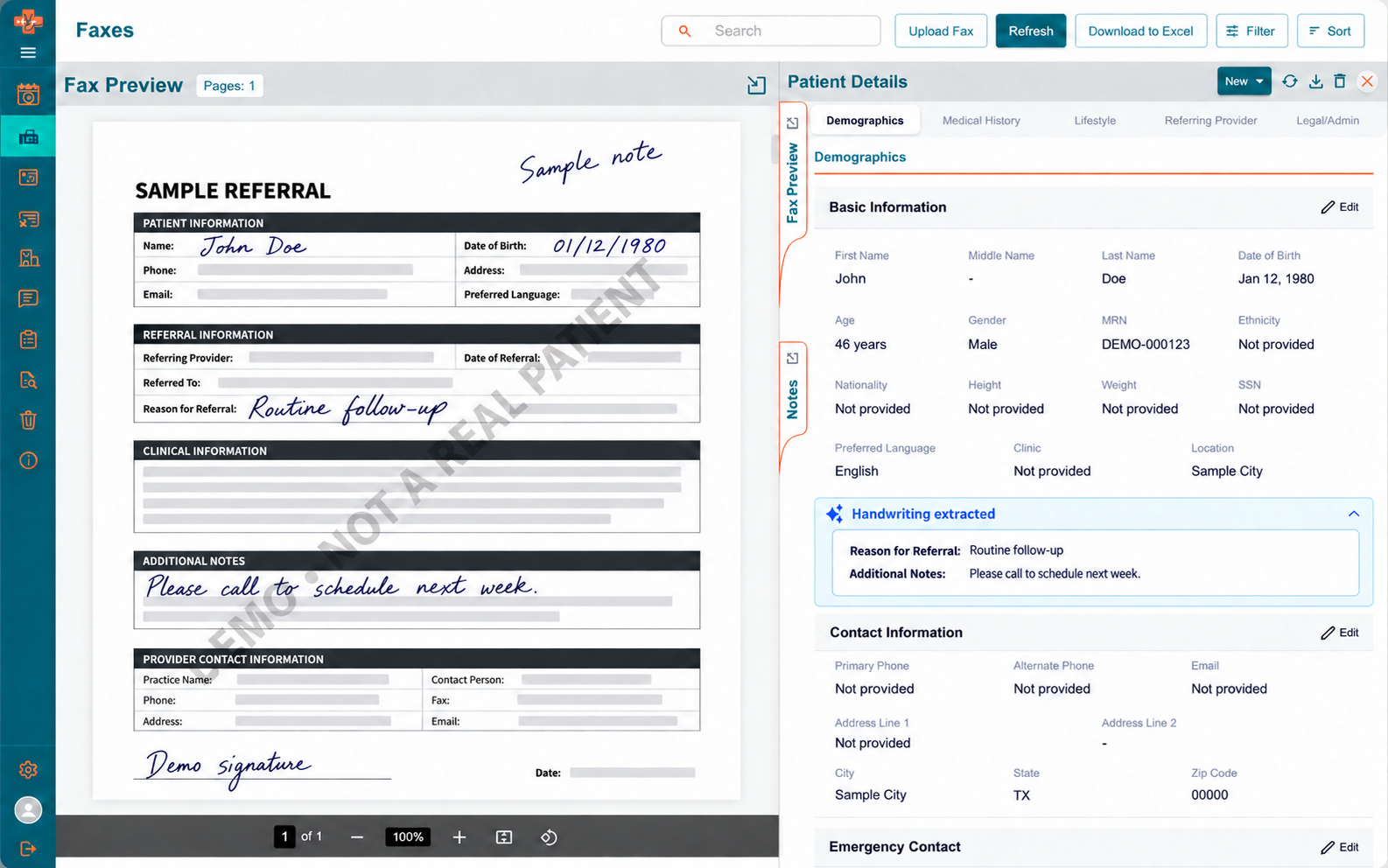
Printed and handwritten details become structured, reviewable fields.
Staff confirm the information, match the patient, and resolve exceptions.
Approved data reaches the appropriate chart through your configured EMR workflow.
Beyond extraction
Keep the original fax visible alongside extracted details, patient information, and the next action. A shared view makes it easier to triage work without losing the source document.
Good to know
Yes. You can port your existing number, request a new toll-free number, or keep your current provider and have our AI agent retrieve faxes for processing. Our team will confirm provider compatibility and coordinate the setup.
96Meridian is designed to read printed and handwritten clinical information and present relevant details for review, such as patient identifiers, referral information, and notes. Your team verifies extracted information before it moves forward.
After review and patient matching, approved fax data can be entered into the appropriate patient chart through your configured EMR integration and workflow. We can discuss your EMR during a demo.
Put fax intake to work
See how your number, NLP data extraction, team review, and EMR entry can work as one connected process.